Skip to content
← Index
02 / 08Lead Developer2025

GenesisX

GenesisX is an AI storytelling platform for consumer-goods and retail brands. Its team produces mobile experiences — full-screen, swipeable, scene-by-scene sites — for brands such as Coca-Cola, Häagen-Dazs, Oreo and Starbucks. I led development of the internal tool those are made in: a visual editor where a campaign is composed as a set of scenes, wired together by gestures, and published without help from a developer.
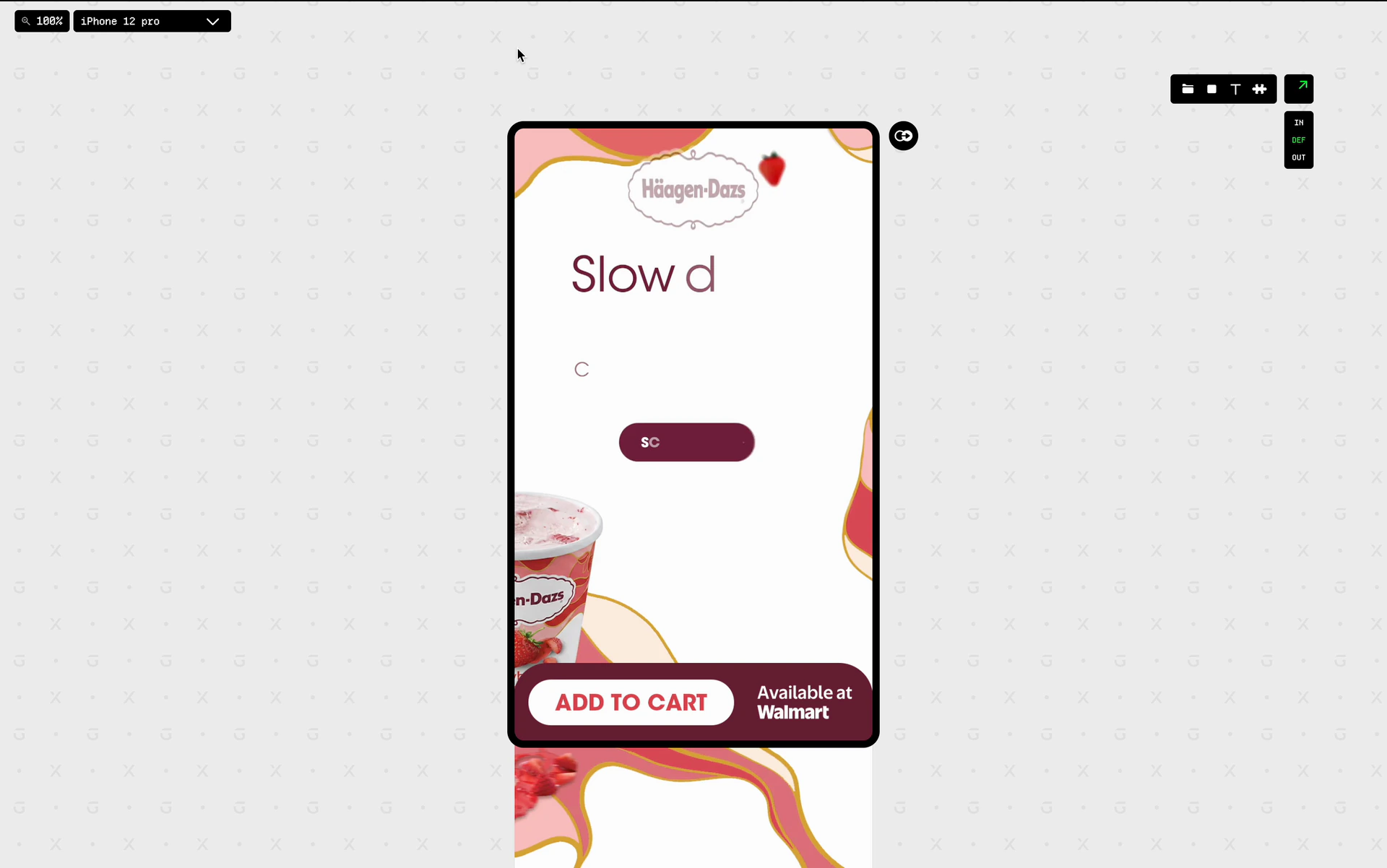
GenesisX — capture

Scenes instead of pages

A GenesisX project is not a scrolling page but a set of full-screen scenes, designed against real device frames. A scene is built from layers — images, GIFs, video, rich text, embeds, custom code — and every layer carries three states: in, default and out. So a scene can animate in when it opens and animate out when it closes, and the designer does not need to write any code.

Wiring scenes together

RelationsEach scene can be linked to a neighbour in four directions: north, east, south and west. A swipe in that direction opens that scene.
TransitionsSlide, fade or reveal. Reveal has its own offset and a reverse mode, so the next scene can be uncovered from beneath the current one or drawn over it.
TriggersA relation can fire on the swipe itself, on a timer, or when a video in the scene ends. This lets an experience play automatically, while the user can still take control at any time.
LinksAny layer can also jump to a scene on tap, with its own transition and duration.

The scenes map

When a campaign has many scenes linked in four directions, a list is hard to follow. The scenes map shows the whole project as a node graph, built on React Flow. Every scene is a node with a live preview. Swipe relations and tap links are drawn as edges in different colours. Each edge leaves its node from the side that matches its direction, so the map shows how a user moves through the experience.

Two-way pairsWhen two scenes point at each other in opposite directions, the pair collapses into a single two-way edge instead of two overlapping arrows.
Fanned handlesSeveral edges leaving the same side are spread along it by a fixed offset, so parallel connections stay legible.
Floating edgesA link with no direction, such as a fade, attaches where the line between the two nodes crosses their borders. This point is calculated from the node rectangles.
Persistent layoutNode positions are saved with the project, so every designer sees the same layout.

Swipe transitions with a state machine

On a phone, the user drags a transition with a finger. It does not just play like an animation. The runtime handles this with an XState state machine. Its states are active, preparing, transitioning, and then committed or cancelled.

Drag progressDuring a swipe the incoming scene follows the finger. Its position or opacity is calculated from the drag distance on every frame.
ThresholdsIf the user releases after the threshold, the transition completes. If they release before it, the scene goes back. A fade needs a much shorter swipe than a slide, because a fade does not move across the screen.
Instant pathTaps, timers and video-end triggers enter the same machine through a separate transition that runs to completion over a set duration.
One runtimeThe editor preview runs the same state machine inside an iframe, so the preview behaves exactly like the published site.

Publishing, export and AI

PublishingProjects publish to AWS — S3 and CloudFront, with certificates and custom domains provisioned through the API.
Code exportA project can also be exported as a Next.js codebase, rendered by the platform SDK, and pushed to a GitHub repository through a GitHub App.
AssistantsTwo LLM-backed assistants are built into the editor. One writes visual effects and the other writes code embeds. Each takes the current state and a prompt, and returns strict JSON that the editor can apply.

Architecture

The platform is a TypeScript monorepo: the editor, the API, a public read API, the export service, and a shared domain package whose types and zod schemas are used by both the client and the server.

ServerHexagonal. One interface per port, use cases as the only entry points, MongoDB and HTTP as adapters, everything wired through dependency-injection modules.
ClientMVVM. View models own the state and expose methods. Views can read the state but cannot write it, so every state change goes through a named method.
EditingChanges are sent as typed commands and validated with the shared schemas. The client and the server use the same command types.
Editor
ReactTypeScriptViteReact FlowMVVMreact-jss
Runtime & SDK
Next.jsXStateCustom SDK
Backend
Node.jsExpressMongoDBRedisBullMQWebSocketszod
Infrastructure
AWS (S3, CloudFront, ACM, CodeBuild, ECS)GitHub AppAuth0Sentry
AI
Anthropic APIOpenAI API
Next — 03IBM X-Force →